Aurora Wizard
Pick an aurora and paint it into the sky of your photo. Every stroke becomes part of one natural display of northern lights.
Drop a file here,
or use Ctrl+V / Cmd+V to paste
Aurora Wizard: Add Aurora and Northern Lights Effects to Your Photos
Aurora Wizard adds northern lights to a night photo. Pick one of five styles and paint along the sky where the lower edge of the aurora should be: the light rises from your strokes in perspective, with rays, colors that change with height and stars shining through. Dark trees and peaks across the skyline stay in front. Save a JPEG, PNG or WebP at your photo's own size, up to 16 megapixels. It is free and runs in your browser.
- Free, no watermark
- No sign-up
- Photos never leave your device
- Works on phone and computer
Before and After
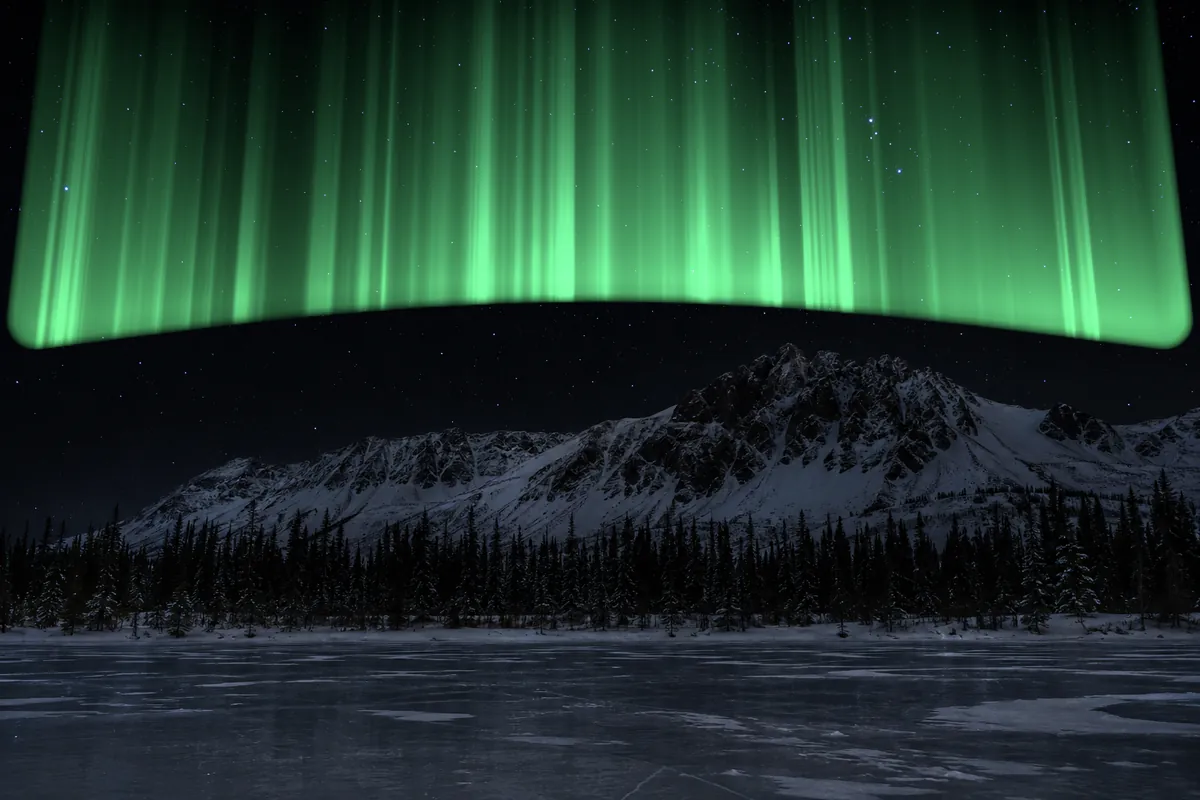
Real Aurora Wizard results: one stroke along the sky, in each of the five styles. Drag the line to compare.
 PhotoAurora
How to Add Aurora Effects to a Photo
-

1 Upload Your Photo
Upload a night photo (JPEG, PNG, WebP or HEIC), or start from one of our night skies.
-

2 Paint the Sky
Paint along the sky where the bottom of the aurora should be, and the light rises from it. Erase takes some away; Brightness, Height and Rays tune the whole display.
-

3 Save Your Picture
Choose JPEG, PNG or WebP and press Save Photo. The aurora is drawn again at your photo's own size, so it is as sharp as the photo.

Five Aurora Styles
Choose a green curtain, a quiet arc, a curtain with a red crown, a storm with a pink lower edge, or the pink glow of a big storm seen far from the poles.

Paint Where It Stands
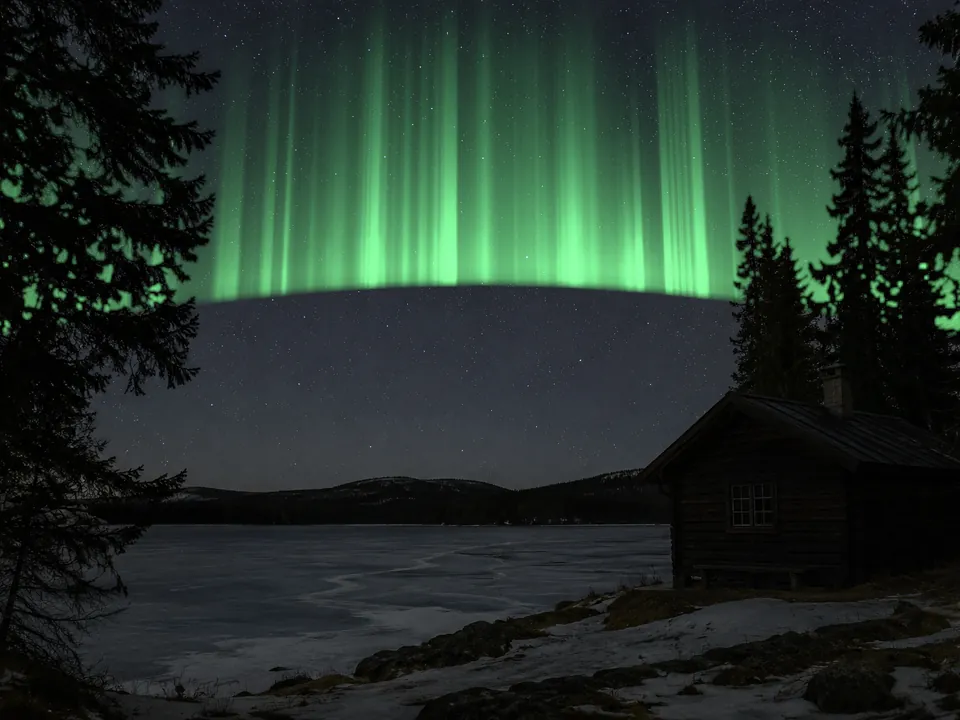
Paint along the sky with your finger or mouse. Every stroke joins one display, in perspective: painted low, the aurora stands far away, small and with fine rays; painted high, it is near and tall.
 PhotoAurora
Stays Behind the Skyline
The skyline is found by itself, and dark trees and peaks that cross it stay in front of the light. Lit buildings and bright snow may not be found: choose Sky and paint them in, and the red tint shows what stays in front.
Aurora Wizard at a Glance
| Aurora styles | Green Curtain, Quiet Arc, Red Crown, Storm and Pink Glow |
|---|---|
| Brushes | Paint, Erase, and Sky with Add Sky or Remove Sky |
| Adjust | Brightness, Height and Rays, for the whole display |
| Saves as | JPEG or WebP with a quality setting, or PNG, at your photo's size up to 16 megapixels |
| Requires | A browser with WebGL 2, such as a current Chrome, Safari, Firefox or Edge |
| Price | Free, with no watermark and no sign-up |
| Photo formats | JPEG, PNG, WebP, GIF, HEIC and other images your browser opens |
| Where it runs | In your browser; nothing is uploaded |
Updated November 25, 2026
Frequently Asked Questions
How do I add an aurora or northern lights effect to my photo?
Upload a night photo or pick one of ours, choose a style, and paint along the sky where the bottom of the aurora should be. The light rises up from your strokes. Brightness, Height and Rays change the whole display at once, and Undo takes back any stroke.
Why does the aurora rise above my strokes?
A real aurora has a sharp lower edge and fades out as it rises, so you paint the lower edge and the tool grows the curtain above it. Low in the sky an aurora is far away, so it looks shorter, with finer rays, and the air makes it dimmer and more yellow; high in the sky it is close and tall. A wider brush does not make the light brighter; it covers more of the sky.
What do the aurora styles look like?
Green Curtain is the most common display: green, with fine rays. Quiet Arc is a calm, smooth band. Red Crown adds the red that glows above a tall curtain. Storm is a bright, rayed display with a pink lower edge and a violet top. Pink Glow is the soft pink sky that cameras recorded during big storms far from the poles.
Why does part of my photo get no aurora?
The aurora stays behind the skyline, which the tool finds by itself. If it got a spot wrong, choose Sky and paint with Add Sky or Remove Sky: the parts shown in red stay in front of the aurora. You can also turn off Keep the aurora behind the skyline.
What size is the saved picture?
When you save, the aurora is drawn again at your photo's own size, so the result is as sharp as your photo. Photos over 16 megapixels are saved at 16 megapixels. You can save a JPEG, PNG or WebP file, with no watermark.
Does Aurora Wizard work on a phone?
Yes. Once you add a photo it opens as a full-screen editor: pick a style and paint with one finger, and find Erase, Sky and Adjust in the bar at the bottom. On a phone that can share files, Save offers to share the picture or download it.
Why does it say my browser needs WebGL 2?
The aurora is drawn with WebGL 2, the browser's way of using the graphics chip. Without it the tool cannot draw, so the page says so instead of opening the photo. Try a current version of Chrome, Safari, Firefox or Edge.
Are my photos private and secure?
Yes. The aurora is drawn in your browser, so your photo never leaves your device and is never uploaded to our server.