Add Stickers to Photo
Add emoji, hearts, flags and arrows to a photo, drag them into place, resize and turn them, and save it at full size.
Drop a file here,
or use Ctrl+V / Cmd+V to paste
Drag a sticker to move it. Drag its round handle to resize and turn it.
Add Stickers to a Photo: Emoji, Hearts, Flags and Arrows
Add Stickers to Photo puts emoji and symbol stickers on your photo: 992 of them in 11 categories, from faces and animals to hearts, flags and arrows. Drag each sticker into place, resize and turn it with its round handle, flip it, fade it, or give a one-color sticker any color. The photo is saved at its own size, up to 16 megapixels, as a JPEG, PNG or WebP. It is free and runs in your browser.
- Free, no watermark
- No sign-up
- Photos never leave your device
- Works on phone and computer
Before and After
Real results of Add Stickers to Photo. Drag the line to see the photo without its stickers.
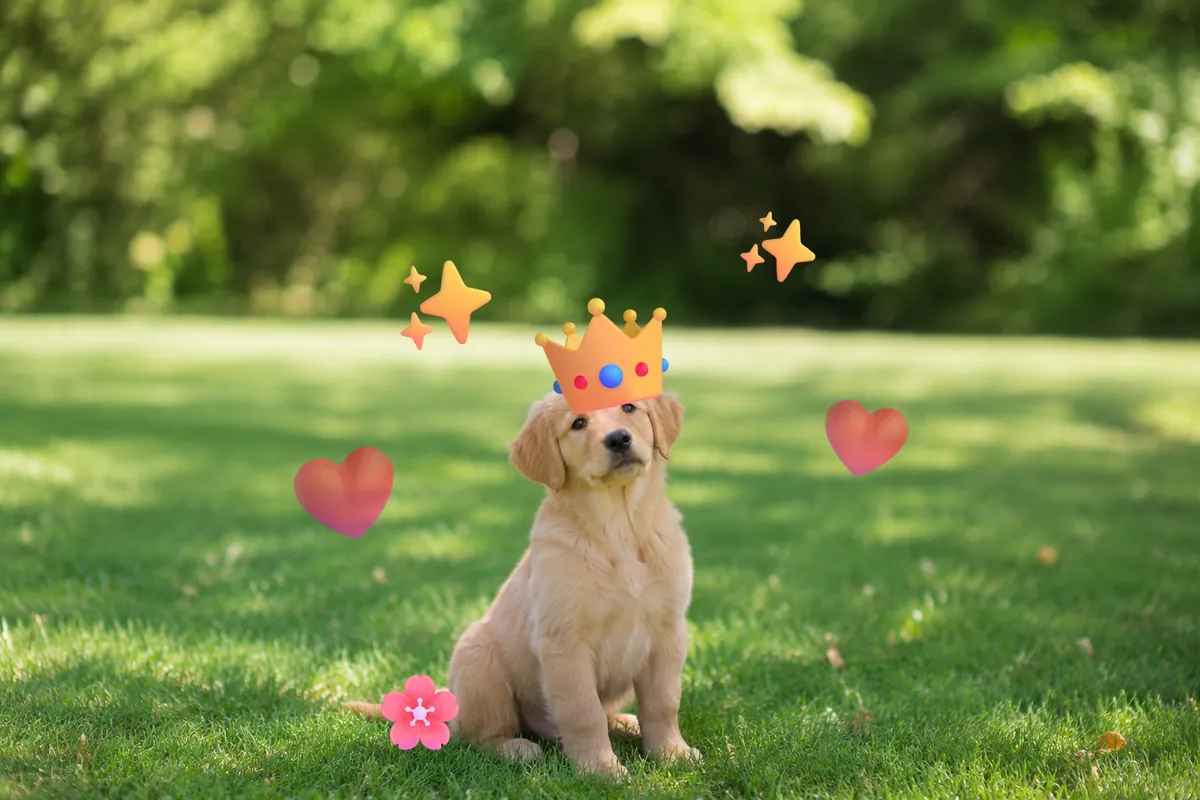
 PhotoWith Stickers
How to Add Stickers to a Photo
-

1 Upload Your Photo
Upload or drop a photo, paste one with Ctrl+V, or try a sample. JPEG, PNG, WebP, GIF and HEIC all work.
-

2 Add and Place Stickers
Tap a sticker in the row under Stickers, or All for the whole library. Drag it into place and drag its round handle to resize and turn it; the red × removes it.
-

3 Save Your Photo
Choose JPEG, PNG or WebP and the quality, then click Save Photo. The file keeps your photo's own size, up to 16 megapixels, and its name with -stickers added.

992 Stickers in 11 Categories
Emoji faces and expressions, animals, hearts and symbols, food and drinks, activities, travel and places, objects, currency signs, flags and arrows. Search by English name or jump to a category. The row under Stickers starts with the ones you used last, so they are one tap away.

Recolor One-Color Stickers
Most currency signs, the drawn arrows and other one-color stickers take any color: tap one of eight swatches or pick your own. Colorful emoji and flags keep their own colors. Which stickers count as one-color depends on your device's emoji font.

Flip, Turn and Fade
Flip a sticker to face the other way, turn it with its handle (it snaps to the nearest 45° when you come close) or the Rotation slider, and fade it down to 10% opacity. Duplicate puts a copy a little below and to the right, and Undo steps back through your last 60 changes.
Add Stickers to Photo at a Glance
| Stickers | 992 in 11 categories |
|---|---|
| Each sticker | Size, rotation, opacity (10-100%), flip and duplicate; a color for one-color stickers |
| Output size | The photo's own size, up to 16 megapixels |
| Saves as | JPEG, PNG or WebP, with a quality setting (10-100%) for JPEG and WebP |
| Undo | The last 60 changes |
| Price | Free, with no watermark and no sign-up |
| Photo formats | JPEG, PNG, WebP, GIF, HEIC and other images your browser opens |
| Where it runs | In your browser; nothing is uploaded |
Updated November 25, 2026
Frequently Asked Questions
What types of stickers and decorations are available?
992 stickers in 11 categories: emoji faces and expressions, animals, hearts and symbols, food and drinks, activities, travel and places, objects, currency signs, flags of the world and arrows. Open All to browse them by category, or search them by English name.
Can I resize and reposition stickers on my photo?
Yes. Drag a sticker to move it, and drag its round handle to resize and turn it; on a phone, pinch it with two fingers. The panel also sets its exact size, rotation and opacity, and flips, duplicates or deletes it.
Can I change the color of a sticker?
Yes, if it is a one-color sticker, such as a currency sign or one of the drawn arrows: tap a swatch or pick your own color. Colorful emoji and flags keep their own colors. Which stickers are one-color depends on your device's emoji font.
How many stickers can I add to one photo?
As many as you like; there is no set limit. A new sticker goes on top, and choosing a sticker brings it to the front.
Will adding stickers affect my photo's resolution or quality?
The photo keeps its own size, up to 16 megapixels; a larger photo is scaled down to that. Each sticker is drawn from art about 640 pixels across, so a very large sticker on a large photo comes out a little soft. JPEG and WebP use the quality you set.
Can I change the photo and keep the stickers?
Yes. Upload another photo and the stickers stay where they were, at the same place on the new photo. Undo starts again from there.
Are my images uploaded to a server?
No. The stickers are drawn on your photo in your browser, so the photo never leaves your device. Where a device has no color flag emoji, as on Windows, flags are loaded as pictures from the Twemoji library on jsDelivr; nothing of your photo goes with them.
Can I add stickers on my phone?
Yes. On a phone the editor opens full screen, like an app: tap a sticker to add it, drag it into place, pinch to resize and turn it, and save the photo to your phone.