Remove Black Background
Make the black behind sparks, neon, fire or a logo transparent, glow and all, right in your browser.
Drop a file here,
or use Ctrl+V / Cmd+V to paste
Runs in your browser. Your photo is never uploaded.
Continue editing in:
Make a Black Background Transparent
Remove Black Background is a free online tool that makes the black background of an image transparent and saves it as a PNG. It is made for sparks, fire, smoke, neon, light effects and logos on black: the black is taken out of every pixel, so a glow stays soft and see-through instead of being cut off with a dark edge. It runs in your browser, so your image is never uploaded, and it is free with no sign-up and no watermark.
- Free, no watermark
- No sign-up
- Photos never leave your device
- Works on phone and computer
Before and After
Real results, saved as transparent PNGs. The squares show the parts that are now see-through.
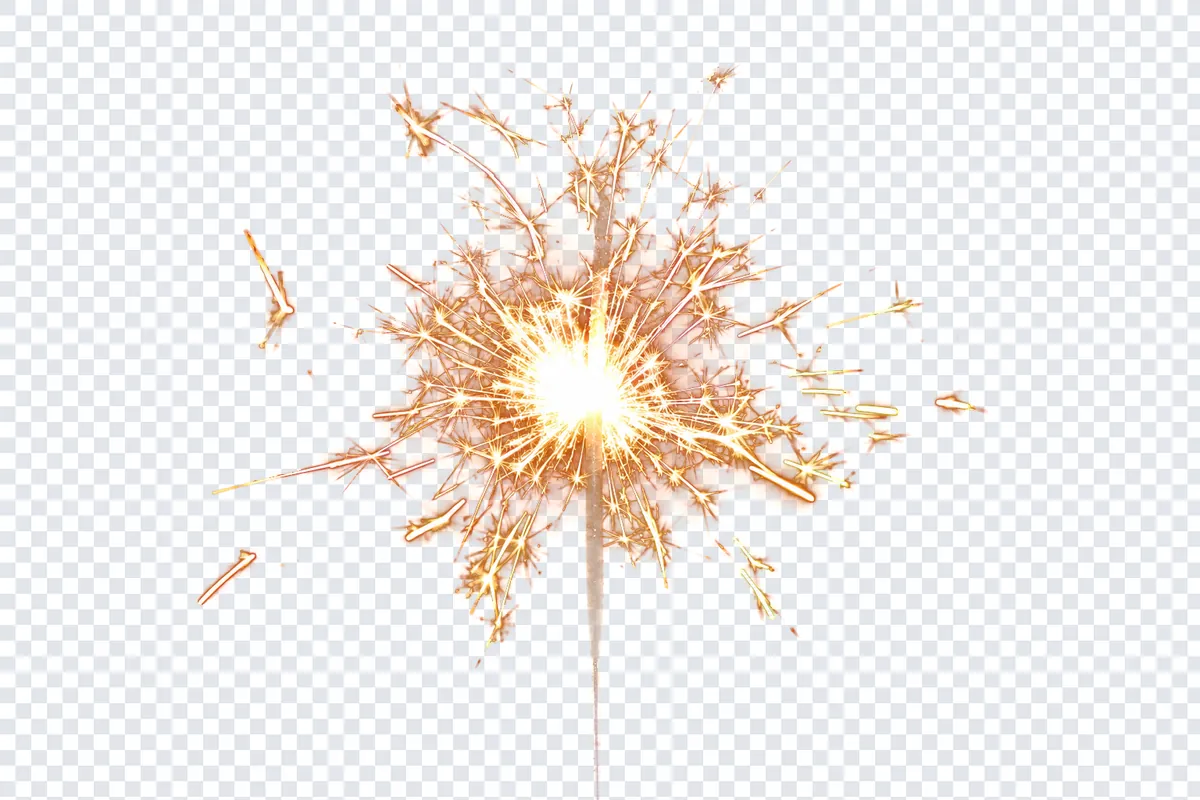
 BeforeAfter
How to Remove a Black Background
-

1 Upload Your Photo
Upload an image on a black background (JPEG, PNG, WebP or HEIC), or try one of ours. The black is removed right away.
-

2 Check the Glow
The squares show what is now transparent. If a dark ring is left around a glow, raise Softness; if dim parts disappear, lower Tolerance.
-

3 Save a Transparent PNG
Save as PNG and put it over a photo, a slide or a video frame. The glow stays see-through, so it blends into what is behind it.

 BeforeAfter
Glows Stay See-Through
A glow on black is light on top of the black. The tool takes the black back out of each pixel, so the glow keeps its own color and lets the new background show through. With a low Softness the dim edge of a glow stays dark, as on the left.

Overlays for Photos and Videos
Put sparks, fire, smoke, light leaks or neon over a photo, a slide or a video frame. Save as PNG or WebP, which keep the transparency, and place it in any app that supports layers.

Logos Made for Dark Backgrounds
A logo designed on black can go on a light page or a colored banner. Turn on Only around the subject if the logo has black parts inside it that should stay.
Remove Black Background at a Glance
| Price | Free, with no watermark and no sign-up |
|---|---|
| Removes | Black, white or any plain color you pick |
| Settings | Tolerance, Softness, Only around the subject, Trim empty edges |
| Opens | JPEG, PNG, WebP, HEIC |
| Saves as | A transparent PNG; WebP is transparent too; JPEG fills the background with white |
| Saved size | Your photo's own size, up to 16 megapixels |
| Files at once | One photo at a time |
| Where it runs | In your browser; nothing is uploaded |
Updated November 26, 2026
Frequently Asked Questions
How do I remove a black background from an image?
Upload the image. The black is removed right away, and the glow around bright parts fades out instead of being cut off. Save it as PNG and put it over any background.
Why do sparks and glows keep their color?
A glow on black is light added to the black. The tool takes the black back out of every pixel, so what is left is the light alone: its own color, partly see-through, ready to lie over a new background.
There is a dark ring around the glow. How do I remove it?
Raise Softness. With a low Softness the dim edge of a glow is kept as dark pixels; a high Softness turns it into see-through color. The starting setting suits most sparks, fire and neon.
The black inside my image is gone too. How do I keep it?
Turn on Only around the subject. Then only the black that is connected to the edges of the image is removed, and black lines, letters or eyes inside the subject stay.
What do the grey and white squares mean?
They show the parts of the picture that are transparent. They are not in your picture and do not appear in the saved PNG.
Why is my transparent background white or black?
Either the picture was saved as JPEG, which cannot keep transparency and fills it with white, or the app showing it draws transparency as white or black. Save as PNG or WebP, and open it in an app that supports transparency, such as a browser or a design app.
Is this AI? How is it different from Remove Background?
It is not AI. It removes one plain color, or the paper behind ink, by measuring every pixel, so it is exact on plain backgrounds and runs on your own device with no limit. For a person, a pet or a product in front of a busy background, use Remove Background, whose AI finds the subject.
How big is the saved image?
As big as your image, up to 16 megapixels; a bigger one is scaled down to 16 megapixels. The preview is smaller so that it stays quick, but the saved image is made again from your original.
Is it free?
Yes. There is no sign-up, no watermark and no limit on how many images you do, because it all runs in your browser.
Are my photos uploaded?
No. Your photo is edited in your browser and never leaves your device.
Does it work on a phone?
Yes. Once you add a photo it opens as a full-screen editor, with the settings in the bar at the bottom. Press and hold the photo to compare it with the original, then save it or share it straight to another app.